KF Best Practice - The Power Formula for LinkedIn Success

Listen to this article
Many professionals view LinkedIn as just another social media platform, often underutilizing its immense potential for business growth, career advancement, and even non-profit outreach. This article delves into the strategic use of LinkedIn, transforming it from a passive profile into a dynamic tool for connection, influence, and tangible results.
The Genesis of a LinkedIn Believer
Wayne Breitbarth, a seasoned expert in LinkedIn strategy, candidly shares his initial skepticism. As an office furniture dealership owner during the 2007-2008 recession, the idea of social media seemed frivolous. Yet, a persistent friend, Todd, eventually presented a compelling case: LinkedIn was the largest database of business professionals ever created, it was free, and it offered an unprecedented ability to see who your friends knew. This last point was the game-changer. Within 90 days of actively engaging with LinkedIn, Breitbarth's business landed a $250,000 furniture order directly through a referral facilitated by the platform. This personal triumph ignited his passion for teaching others how to harness LinkedIn's power.
Beyond the Basic Profile: Crafting Your Digital Story
Your LinkedIn profile is more than just an online resume; it's your digital billboard. Most profiles are inadequate because users haven't clearly defined their strategy. Before you even think about outreach, ask yourself: "Why am I on LinkedIn? What am I trying to accomplish?" Your answers will dictate your profile's content and direction.
Key Elements for an Optimized Profile:
- Strategy First: Clearly articulate your goals. Are you seeking sales, a new job, volunteers for a non-profit, or keynote speaking opportunities? Your profile should reflect these objectives.
- Target Audience Focus: Write your profile for your ideal audience. What problems do you solve for them? What aspirations do you help them achieve?
- Keywords and Stories: This is the dual engine of an effective profile. Keywords ensure you appear in relevant searches, while compelling stories engage visitors and convey your unique value proposition. Think of it as SEO for your professional brand.
- Headline: Utilize all 220 characters with keyword-rich phrases that clearly state what you do and who you serve.
- Job Titles: Expand beyond generic titles. If you're a "Sales Manager," add keywords in parentheses like "(Casters, Precision Tools)" to enhance search visibility.
- Skills: Maximize the 100 available skill slots. Critically, leverage the new feature allowing you to place skills under each job experience entry, training LinkedIn's AI about your expertise. Also, add your top five skills to your "About" section.
- Visual Impact: Your background image is a free billboard. Use it to convey your mission, values, or current projects. A professional photo is non-negotiable.
- The "About" Section: This is your narrative hub. Craft several paragraphs detailing your journey, current work, and future aspirations. Always include clear contact information – make it easy for people to reach you directly.
- Featured Section: Showcase your best work! Link to website pages, upload PDFs, PowerPoints, JPEGs, or audio files. For job seekers, this is ideal for resumes and letters of recommendation. Sales professionals can feature product lines or sign-up links for consultations.
- Experience Section (Beyond Jobs): LinkedIn's "Experience" section isn't just for employment history. Use it creatively to highlight authorship, consulting ventures, volunteer work, or committee roles in industry associations. These entries can include links and attached skills.
- Calls to Action (CTAs): Don't leave visitors hanging. Conclude sections with clear CTAs: "If you'd like to explore working together, here's my number," or "Sign up here for a 10-minute conversation."
- First-Person Narrative: Write in a conversational, first-person style. It's more engaging and approachable.
- Self-Assessment: Print your profile and those of 3-5 competitors. With a "customer hat" on, objectively ask: "Would I pick me?" This exercise reveals strengths and weaknesses.
The Golden Rule: Profile First, Outreach Second
Breitbarth emphasizes that a strong profile is foundational. "Do not take those action steps until you got your proof," he advises. A well-crafted invitation can be wasted if the recipient visits a sparse or confusing profile. Your profile is your first impression; make it count.
Strategic Searching: Unearthing Opportunities on Free LinkedIn
Many users only scratch the surface of LinkedIn's search capabilities. The key lies in utilizing the advanced filters, even on the free version. To access them: 1) Place your cursor in the search box, 2) Hit return, 3) Click "People," and 4) Click "All Filters."
Advanced Search Techniques:
- Boolean Operators: Use
AND,OR, andNOT(always capitalized) to refine your searches. For example, to find CEOs or Presidents in Milwaukee, but exclude Vice Presidents:(CEO OR President OR Owner OR Founder) NOT Viceand then apply the "Milwaukee" location filter. - Second-Degree Connections: Filter for second-degree connections to identify potential referrals within your existing network. This allows you to ask a mutual connection for an introduction, significantly increasing your chances of engagement.
- Targeting Niche Groups (e.g., Faith-Based): While there isn't a direct filter for religious affiliation, you can use keywords like
(Christian OR Catholic OR Church OR Ministry)in conjunction with other filters. Alternatively, search for alumni of colleges known for their religious affiliations and then filter by job title or location.
What to Do After the Search: Beyond the "Connect" Button
Finding people is only half the battle. What comes next is crucial:
- Multi-Channel Approach: LinkedIn is a powerful research tool, but it's not always the best next step. Consider calling, emailing, or even a direct mail piece in conjunction with a LinkedIn connection request.
- Personalized Connection Requests: Always send a personalized note (300 characters or less) with your connection request. This is best done from a desktop or by using the "More" button on mobile to select "Personalized Invitation." A generic request can appear spammy.
- Profile Due Diligence: Before sending a request, quickly review their profile. Are they active? Do they have many connections? A less active user might not see your request promptly, necessitating a different outreach method.
The Power of Referrals: LinkedIn's Hidden Gem
Breitbarth highlights the "Connections of" filter as LinkedIn's most underutilized and powerful feature. This allows you to search within a specific friend's network. Imagine sitting down with a trusted contact, having already identified 10-12 people in their network who fit your ideal client or collaborator profile. This eliminates the "referral kabuki dance" and provides a concrete starting point for discussion.
Posting on LinkedIn: Quality Over Quantity (and Timing)
While not the primary driver of success, strategic posting can amplify your reach. If you have valuable content and the time, consider posting. The best times are typically Tuesday through Thursday, mid-day, as this maximizes engagement. Remember, LinkedIn's algorithm initially shows your post to only 5-10% of your connections. Engagement (likes, comments, shares) is what propels it to a wider audience.
Essential LinkedIn Settings You Might Be Missing
- Download Your Data: Annually download your LinkedIn data (under "Data Privacy" in settings). This includes a spreadsheet of your connections (though email addresses require individual opt-in).
- Profile Viewing Options: To see who has viewed your profile (your "stalkers"), ensure your setting is on "Your name and headline" (the default for most). If set to private, you won't see who viewed you. Always flip it back if you temporarily go private.
- Visibility of Your Connections: Under "Visibility," you can choose whether "Everyone" or "Only You" can see your connections. This decision depends on your industry, competitive landscape, and personal comfort level. While LinkedIn is a networking site, there are valid reasons to restrict this visibility.
Final Thoughts
LinkedIn is a dynamic, ever-evolving platform. By understanding its core functionalities, strategically optimizing your profile, and leveraging advanced search and referral features, you can transform your professional trajectory. Don't be afraid to experiment, learn, and adapt your approach. The opportunities are vast for those willing to engage with intention and purpose.
Written by
Kingdom Factor
Faith-driven executive coaching and peer advisory groups.
Interview with
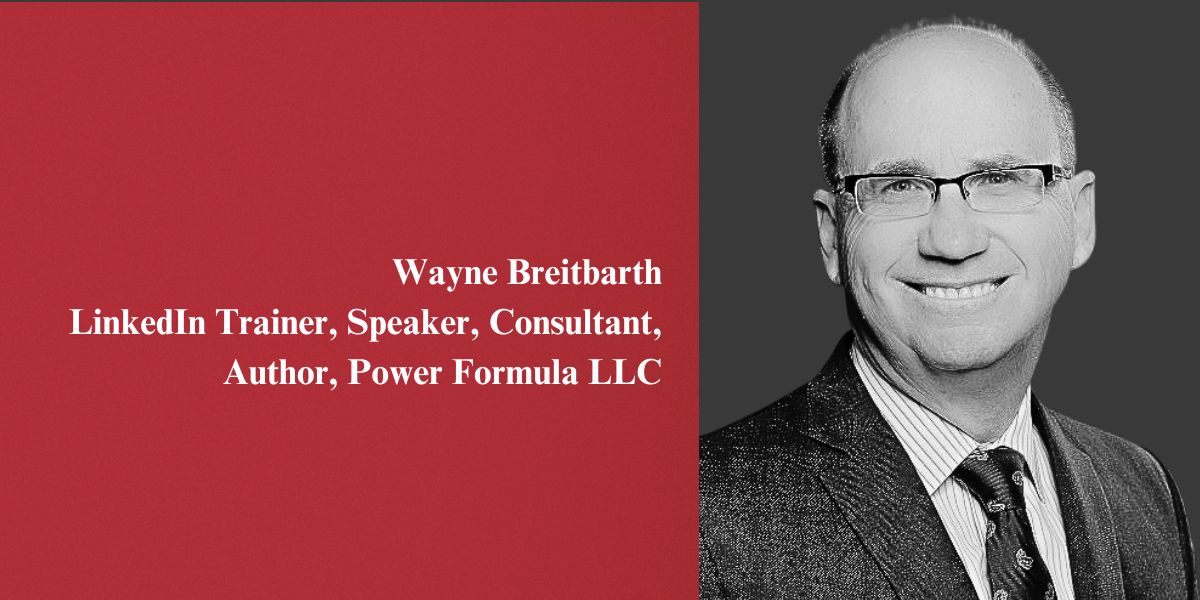
Wayne Breitbarth
LinkedIn Trainer, Speaker, Consultant & Author at Power Formula LLC
Fredericksburg, VA
Continue Reading
More articles in Faith in Business
.jpg) Faith in Business
Faith in BusinessThe Three-Month Fix That Became a Three-Year Turnaround: Steven Flowers on Saving a Family Shelter
Steven Flowers walked into a shelter with less than two months of cash and a live bed bug taped to his door. Three years later, it is serving twice as many families. Here is how a pastor's phone call changed everything.

.jpg) Faith in Business
Faith in BusinessStay Off the Bench: How Kent Evans Is Equipping Dads to Make Disciples
Kent Evans started with a simple question in 2010: what if dads had tools to open Scripture with their sons? Sixteen years later, Manhood Journey reaches over a million people a year.
 Faith in Business
Mary Love-Harris Learned the Hard Way: Christian Doesn't Mean Poor
After years of underpricing her calling and absorbing church hurt, Mary Love-Harris heard God say something that changed everything: 'I never told you to do anything for free.'

WANT TO SHARE YOUR STORY?
Join our community of faith-driven leaders and share how God is working in your business.
Get Started